For families caring for an aging parent
Caradence helps families coordinate medications, meals, exercises, and routines in one calm place. So nothing gets missed when you're stretched thin.
Free during beta · No credit card
Features
The things that take twenty taps in a generic todo app take one in Caradence.
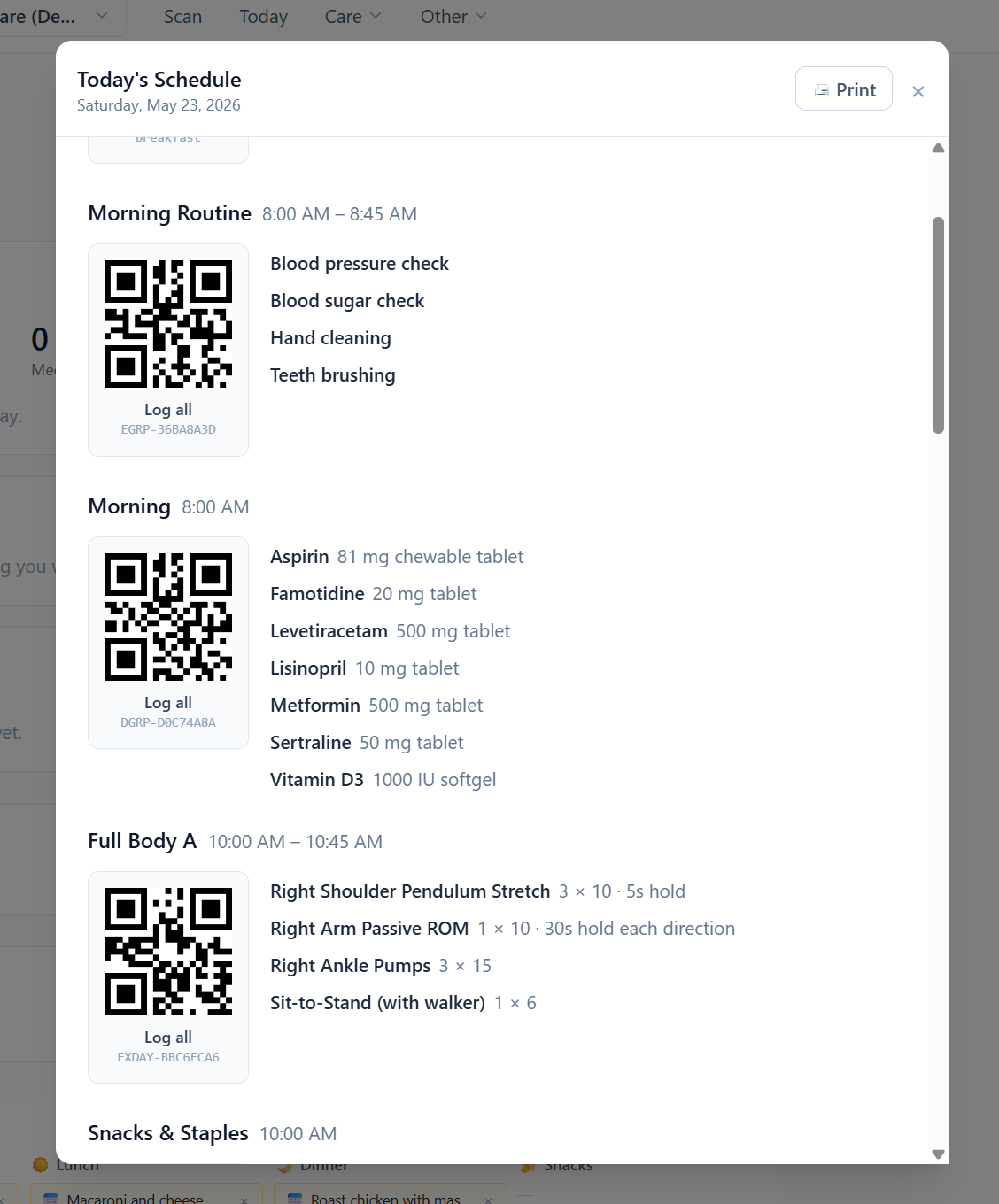
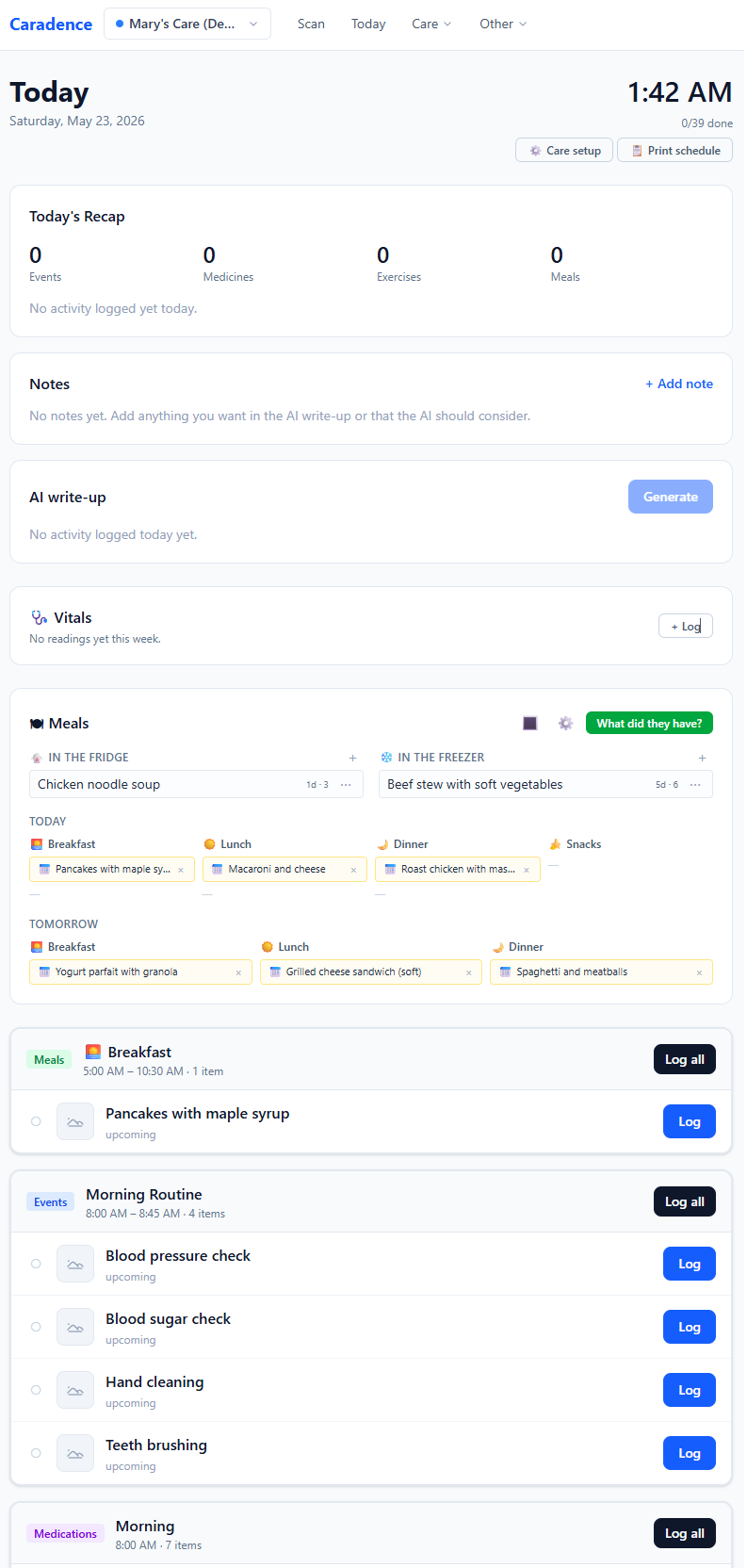
Every morning, your day shows up grouped by time and care area. Medications, meals, exercises, appointments — all in one schedule. Tap once to log when something's done. Big numbers tell you how much is left.
Every item has its own QR code — meds, meals, exercises, even whole dose groups. Print them on labels, stick them on bottles or the fridge, and a quick scan logs it. Works with a phone camera or a $30 USB barcode scanner at your desk.
Tell the AI about your situation — "Mom's 78, early Alzheimer's, takes Metformin and Lisinopril, mornings are rough" — and it proposes a full setup. You see every change as a checklist before anything is created, so nothing happens without your OK.
Jot a quick note about the day — "rough morning, ran out of bananas, Dr Patel started Lipitor" — and the AI reviews it. New medication? It proposes adding it. Grocery items? Added to your list, pending confirmation. Built for handoffs between family members and caregivers.
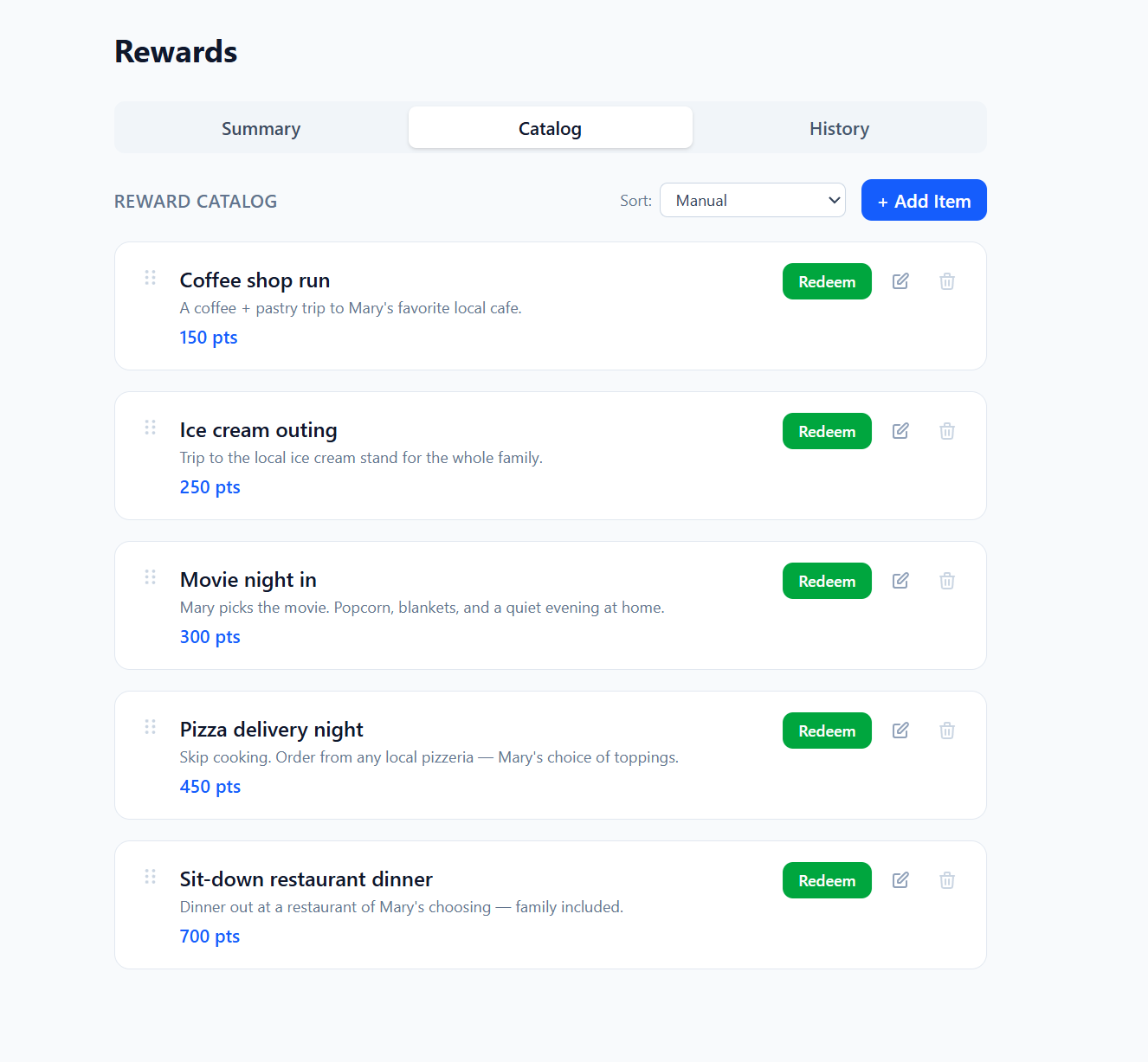
Caregiving works better when there's something to look forward to. Attach a money amount or points to any activity — taking medications on time, finishing exercises, eating a good meal — and Caradence tracks earnings automatically. Set a monthly budget or let points accumulate toward a catalog of things your loved one actually wants.
How it works
Don't try to enter everything at once. Start with the area that's most chaotic right now — medications, meals, exercises, or the daily schedule. The rest can wait.
Type it in, paste from a notes app, or describe it in plain language and let AI propose the entries. Either way works — and you can review every change before it's saved.
New medication next week? A new exercise plan from PT? A meal rotation that changed? Add it in 30 seconds without re-setting anything up. Caradence grows with the situation.
Beta
Request access and we'll get you set up. Pricing for the post-beta plan will be announced before any charges, and beta users will get a permanent discount.
Stay in the loop
Drop your email and we'll let you know when paid plans launch and what beta users get.
Why I built this
I built this while caring for my mother. She survived a hemorrhagic stroke — by what I can only describe as a miracle — but was left paralyzed on her left side. She spent two years in a nursing home before we could finally build a ramp, hire a part-time caregiver, and bring her home.
Once she was home, I started on a box of things that needed to be organized, and decided to turn it into a project: an app that could take a photo of an item, use AI to identify it, generate a QR code for the box it ended up in, and let anyone scan that code to see what was inside. Pure inventory tracking.
But once you have a household full of QR codes, the possibilities expand quickly. The same scan-to-log pattern works for medications. Then meals. Then PT exercises and the daily schedule. What started as a way to organize a single box turned into the tool I'd wanted from the beginning — something that handled the day-to-day logistics of caregiving without making me feel like I was doing data entry on top of everything else.
That's what Caradence is. Get in touch if you want to talk about your situation — I read every email.
FAQ
Yes. Each household's data is isolated — only members you invite can see it. We never sell your data and never use it to train AI ourselves. You can export everything or delete your account at any time from Settings.
For AI features, you pick the privacy level:
No. Everything in Caradence — medications, meals, exercises, events, schedules, notes, the daily recap — can be done by hand. AI just makes things faster: snap a photo of a medication bottle and AI proposes adding it, describe your routine and AI drafts the schedule, jot a note and AI summarizes the day for handoffs. You're in full control either way — every AI suggestion appears as a checklist for you to confirm before anything is created.
If you do want AI, you have two options during beta. Cloud: bring your own key from Anthropic, OpenAI, or Google Gemini — typically a few dollars a month for active use, and your AI traffic stays on your own provider account. Local: point Caradence at a model running on your machine via Ollama — zero ongoing cost and your data never leaves your network.
Yes. Caradence is a web app that works on any modern browser — iOS, Android, desktop, or tablet. You can "Add to Home Screen" on mobile for a near-native feel.
Yes. Each household supports unlimited caregivers with role-based permissions: an owner who can change settings, caregivers who can log and edit, and view-only roles for, say, a sibling who just wants to keep up.
Every item in Caradence gets a QR code. Print them on labels and stick them on medicine bottles, meal containers, or a daily schedule sheet. Scan with your phone's camera, or a $30 USB barcode scanner at your desk — both work the same.
Your household profile captures conditions, allergies, mobility level, and routine. The AI uses this in every suggestion — for example, the meal AI won't suggest peanut dishes if your profile lists a peanut allergy.
Beta is free, so there's nothing to cancel. When paid plans launch, you'll be able to cancel from settings — no phone calls, no friction.
Notes and calendars don't know what a "dose group" is, or that a meal rotates on a six-week cycle, or that an exercise has sets and reps. They also can't watch your schedule and tell you what's coming up, or generate a handoff summary at the end of the day. Caradence is built around the actual structure of caregiving.
Set up in an evening. Free during beta. Use it on the kitchen laptop or your phone.
Request access →